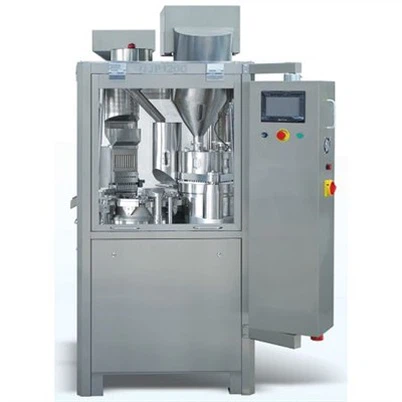
How to troubleshoot a Tablet Blister Packing Machine when it stops working?
Leave a message

Hey there! As a supplier of Tablet Blister Packing Machines, I know how frustrating it can be when your machine suddenly stops working. You're in the middle of a production run, and bam! Everything grinds to a halt. But don't worry, I've got your back. In this blog, I'll walk you through some common issues and how to troubleshoot them.
Power-Related Problems
One of the most common reasons a Tablet Blister Packing Machine might stop working is a power issue. First off, check if the machine is plugged in properly. Sounds simple, right? But you'd be surprised how often a loose plug can cause problems. Make sure the power cord isn't damaged or frayed. If it is, replace it as soon as possible to avoid any electrical hazards.
Next, check the circuit breaker or fuse box. Sometimes, a blown fuse or a tripped circuit breaker can cut off the power to the machine. If you find a blown fuse, replace it with a fuse of the same rating. If a circuit breaker has tripped, switch it back on. But if it keeps tripping, there might be a more serious electrical problem, and you should call in a professional electrician.
Mechanical Jams
Mechanical jams are another frequent culprit. The blister packing process involves moving parts, and sometimes, tablets or other debris can get stuck in these parts. Start by turning off the machine and unplugging it for safety. Then, carefully inspect the areas where tablets are fed into the machine, the forming station, and the sealing station. If you see any stuck tablets or debris, use a pair of tweezers or a small brush to remove them.
Check the conveyor belts as well. Make sure they are not misaligned or damaged. If a conveyor belt is loose or slipping, it might need to be tightened or replaced. Some machines have access panels that you can open to get a better look at the internal components. If you're not sure how to open them, refer to the machine's manual.
Heating and Sealing Problems
The heating and sealing functions are crucial for a blister packing machine. If the machine isn't sealing the blisters properly, it could be due to several reasons. First, check the temperature settings. If the temperature is too low, the seals won't be strong enough. If it's too high, the plastic film might melt or burn. Refer to the machine's manual to set the correct temperature for the type of packaging material you're using.
The heating elements themselves could also be faulty. Use a multimeter to check if they are getting power and if they are functioning correctly. If a heating element is broken, you'll need to replace it. Make sure to use a replacement part that is compatible with your machine. You can usually order these parts from the manufacturer or a trusted supplier like us.
Sensor Malfunctions
Modern Tablet Blister Packing Machines are equipped with various sensors to ensure proper operation. These sensors can detect things like the presence of tablets, the position of the packaging material, and the seal integrity. If a sensor is malfunctioning, the machine might stop working or produce defective packs.
Check the sensors for any visible damage or dirt. Sometimes, a dirty sensor lens can cause false readings. Use a clean, dry cloth to gently wipe the sensors. If the problems persist, you might need to recalibrate the sensors. This usually requires following a specific procedure outlined in the machine's manual. In some cases, the sensor might need to be replaced.
Software and Control Issues
If your machine has a control panel or is computerized, software issues could be the problem. Try resetting the control system by turning the machine off, unplugging it for a few minutes, and then plugging it back in and turning it on. This can sometimes clear minor software glitches.
If resetting doesn't work, check if there are any software updates available for your machine. Manufacturers often release updates to fix bugs and improve performance. Follow the instructions provided by the manufacturer to install the updates. If the software problems are more severe, you might need to contact the manufacturer's technical support team.
Other Tips for Troubleshooting
Keep a maintenance log. Write down any issues you encounter, the steps you take to troubleshoot them, and the results. This can help you identify recurring problems and track the performance of your machine over time.
Regularly clean your machine. Remove any dust, debris, or residue from the machine's surfaces and internal components. This can prevent many problems from occurring in the first place.


Train your operators properly. Make sure they know how to operate the machine correctly and how to perform basic troubleshooting steps. This can reduce the downtime caused by operator errors.
Contact Us for More Help
If you've tried all these troubleshooting steps and your Tablet Blister Packing Machine still isn't working, don't hesitate to reach out to us. We're here to help you get your machine up and running as soon as possible. We also offer a wide range of blister packing machines, like the Pvc-paper Blister Packaging Machine, Automatic Blister Packaging Machine, and Flat Plate Automatic Blister Packing Machine. If you're thinking about purchasing a new machine or upgrading your existing one, we'd be happy to have a chat with you about your needs.
References
- Manufacturer's manual for the Tablet Blister Packing Machine.
- Industry knowledge and experience in blister packing machine maintenance.