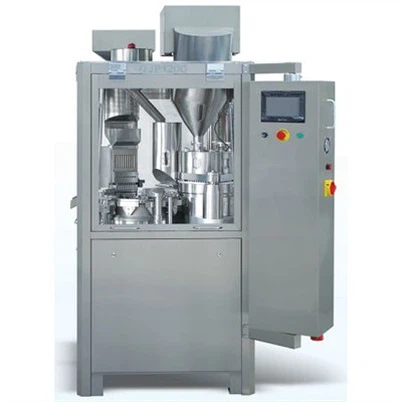
How to troubleshoot a Blister Cartoner Production Line when it stops working?
Leave a message

Hey there! As a supplier of Blister Cartoner Production Lines, I know how frustrating it can be when your line suddenly stops working. It's like having a well - oiled machine come to a screeching halt in the middle of a busy production day. But don't worry, I'm here to share some tips on how to troubleshoot a Blister Cartoner Production Line when it decides to take an unexpected break.
First, Do a Quick Visual Check
The first thing you gotta do is take a good look around the production line. Start by checking for any obvious signs of damage or blockages. Look at the conveyor belts; sometimes, small objects can get stuck in the belts, causing them to jam. Make sure there are no loose wires or cables that could be affecting the electrical connections.
Inspect the blister forming section. If there are any cracks or holes in the forming molds, it can lead to improper blister formation and ultimately stop the line. Also, check the sealing area. A faulty seal can cause the products to leak or not be properly packed, which might trigger the machine to shut down.
Check the Power Supply
You'd be surprised how often the problem is as simple as a power issue. First, make sure the main power switch is turned on. Check if the power cord is securely plugged into the socket. Sometimes, a loose connection can cut off the power supply to the machine.
Use a voltage tester to check if the electrical outlet is providing the correct voltage. If the voltage is too low or too high, it can cause the machine to malfunction. Also, check the circuit breakers. If a breaker has tripped, it could be due to a short - circuit in the machine. Reset the breaker and see if the machine starts up again.
Examine the Material Feeding System
The material feeding system is crucial for the smooth operation of the Blister Cartoner Production Line. If the machine is not getting the right amount of materials, it will stop working. Check the hoppers where the blister materials, such as plastic sheets or aluminum foils, are stored. Make sure there is enough material in the hoppers.
Inspect the feeding mechanisms. Sometimes, the rollers that feed the materials can get dirty or worn out. Clean the rollers and check for any signs of damage. If a roller is not rotating properly, it can cause the materials to jam or not feed evenly.


For the product feeding part, check if the products are being loaded correctly. If the products are misaligned or stuck in the feeding channel, it can stop the line. Clear any blockages and make sure the products are being fed at the right pace.
Look into the Control System
The control system is like the brain of the Blister Cartoner Production Line. If there are any glitches in the control system, the machine will stop working. Check the control panel for any error messages. Most modern machines have a built - in diagnostic system that can display error codes. Look up these error codes in the machine's manual to find out what the problem is.
Make sure all the sensors in the control system are working properly. Sensors are used to detect the position of the materials, products, and various parts of the machine. A faulty sensor can send incorrect signals to the control system, causing the machine to stop. Clean the sensors and check their connections.
Check the Mechanical Components
The mechanical components of the Blister Cartoner Production Line need regular maintenance. Check the gears, chains, and bearings. Over time, these parts can wear out, get dirty, or become misaligned. Lubricate the moving parts as per the manufacturer's recommendations.
Inspect the screws and bolts. Loose screws and bolts can cause vibrations and misalignment, which can lead to machine failure. Tighten any loose fasteners. Also, check the belts for proper tension. A loose or overly tight belt can affect the performance of the machine.
Software and Firmware Issues
In today's high - tech world, many Blister Cartoner Production Lines are controlled by software and firmware. Sometimes, software glitches can cause the machine to stop working. Check if there are any software updates available for your machine. Updating the software can fix bugs and improve the performance of the machine.
If you suspect a software issue, try restarting the machine's control system. Sometimes, a simple restart can clear temporary glitches. If the problem persists, contact the manufacturer's technical support team for further assistance.
Common Problems and Solutions
Let's take a look at some common problems you might encounter and their solutions:
Problem: Blisters not forming properly
- Possible causes: Faulty heating elements in the forming section, incorrect temperature settings, or damaged forming molds.
- Solutions: Check the heating elements for continuity using a multimeter. If a heating element is faulty, replace it. Adjust the temperature settings according to the material specifications. Inspect the forming molds for damage and replace them if necessary.
Problem: Sealing issues
- Possible causes: Incorrect sealing temperature, worn - out sealing jaws, or improper pressure.
- Solutions: Check and adjust the sealing temperature. Replace the sealing jaws if they are worn out. Make sure the pressure applied during sealing is uniform and within the recommended range.
Problem: Product jams
- Possible causes: Misaligned product feeding, blockages in the feeding channels, or incorrect product size.
- Solutions: Realign the product feeding mechanism. Clear any blockages in the feeding channels. Make sure the products being used are of the correct size and shape for the machine.
When to Call for Professional Help
If you've tried all the troubleshooting steps and the Blister Cartoner Production Line still isn't working, it's time to call in the professionals. The manufacturer's technical support team has the expertise and tools to diagnose and fix complex problems.
Before calling, make sure you have all the necessary information handy. Note down any error messages displayed on the control panel, the steps you've already taken to troubleshoot, and the symptoms of the problem. This will help the technicians quickly identify and solve the issue.
Explore Our Product Range
If you're in the market for a new Blister Cartoner Production Line or looking to upgrade your existing one, we've got you covered. We offer a wide range of high - quality machines, including the Tropical Blister Packing Machine, the Aluminum - plastic - aluminum Blister Packaging Machine, and the Pill Blister Packing Machine. These machines are designed to meet the diverse needs of the pharmaceutical and other industries.
Contact Us for Purchase and Consultation
If you're interested in our products or need more information on troubleshooting your Blister Cartoner Production Line, don't hesitate to reach out. We're here to help you keep your production running smoothly. Whether you're a small - scale producer or a large - scale manufacturer, we can provide you with the right solutions.
References
- Blister Cartoner Production Line User Manuals
- Industry Best Practices for Packaging Machine Maintenance
So, there you have it! With these troubleshooting tips, you'll be better equipped to handle any issues that come up with your Blister Cartoner Production Line. Remember, regular maintenance and quick action when problems arise are the keys to keeping your production line up and running.