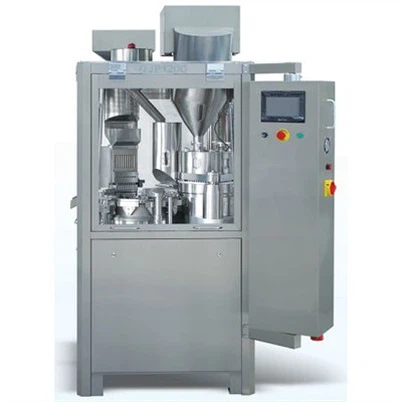
How to troubleshoot a Manual Blister Packing Machine when it stops working?
Leave a message

Troubleshooting a Manual Blister Packing Machine when it stops working can be a daunting task, but with the right approach, you can quickly identify and resolve the issue. As a supplier of Manual Blister Packing Machines, I've encountered various problems over the years and have developed a systematic approach to troubleshooting. In this blog post, I'll share some common issues and their solutions to help you get your machine up and running again.


Initial Checks
Before diving into specific troubleshooting steps, it's essential to perform some initial checks. These checks can help you identify obvious issues that may be causing the machine to stop working.
- Power Supply: Ensure that the machine is properly connected to a power source and that the power switch is turned on. Check for any tripped circuit breakers or blown fuses.
- Air Supply: If your manual blister packing machine uses compressed air, check the air supply. Make sure the air compressor is working correctly and that the air pressure is within the recommended range.
- Material Supply: Check the supply of blister materials, such as PVC or aluminum foil. Ensure that the materials are loaded correctly and that there are no jams or blockages.
- Operator Error: Sometimes, the problem may be as simple as an operator error. Double-check that the machine is being operated correctly according to the manufacturer's instructions.
Common Issues and Solutions
Once you've completed the initial checks and ruled out any obvious problems, you can start troubleshooting specific issues. Here are some common issues and their solutions:
1. Blister Formation Problems
- Blister Not Forming Properly: If the blisters are not forming correctly, it could be due to several reasons. Check the temperature settings of the heating plates. The temperature may be too low or too high, preventing the plastic film from softening and forming the blisters. Adjust the temperature settings according to the manufacturer's recommendations.
- Uneven Blister Formation: Uneven blister formation can be caused by uneven heating or a problem with the vacuum system. Check the heating plates for any signs of damage or uneven wear. Clean or replace the heating plates if necessary. Also, check the vacuum system for leaks or blockages. Ensure that the vacuum is sufficient to form the blisters evenly.
2. Sealing Problems
- Poor Seal Quality: If the seals between the blister and the backing material are weak or incomplete, it could be due to issues with the sealing temperature, pressure, or time. Check the sealing temperature settings and adjust them if necessary. Make sure the sealing pressure is consistent across the entire sealing area. You can also try increasing the sealing time slightly to improve the seal quality.
- Sealing Material Issues: The type and quality of the sealing material can also affect the seal quality. Ensure that you are using the correct type of sealing material recommended by the machine manufacturer. Check for any signs of damage or contamination on the sealing material. Replace the sealing material if necessary.
3. Feeding Problems
- Material Jams: Material jams are a common problem in manual blister packing machines. Check the feeding path for any obstructions or misaligned components. Remove any debris or foreign objects that may be causing the jam. Make sure the blister materials are loaded correctly and that they are not getting caught on any edges or parts of the machine.
- Inconsistent Feeding: If the blister materials are not feeding consistently, it could be due to a problem with the feeding mechanism. Check the rollers, belts, or chains that are responsible for feeding the materials. Make sure they are clean, lubricated, and properly adjusted. Replace any worn or damaged parts if necessary.
4. Machine Malfunctions
- Motor Problems: If the machine's motor is not running or is making unusual noises, it could be a sign of a motor problem. Check the motor for any signs of damage, such as overheating or burnt wires. Make sure the motor is properly connected and that the power supply to the motor is stable. If you suspect a motor problem, it's best to contact a professional technician for further diagnosis and repair.
- Control Panel Issues: Problems with the control panel can also cause the machine to stop working. Check the control panel for any error messages or indicator lights. Make sure the control panel is properly connected and that all the buttons and switches are functioning correctly. If you are unable to resolve the control panel issue, contact the machine manufacturer's technical support team for assistance.
Advanced Troubleshooting
If the above steps do not resolve the problem, you may need to perform more advanced troubleshooting. Here are some additional steps you can take:
- Check the Wiring and Electrical Components: Inspect the wiring and electrical components of the machine for any signs of damage or loose connections. Use a multimeter to test the electrical circuits and ensure that they are functioning properly.
- Review the Machine's Maintenance Records: Check the machine's maintenance records to see if there have been any previous issues or maintenance tasks that may be related to the current problem. This can give you some clues about what may be causing the machine to stop working.
- Contact the Manufacturer's Technical Support Team: If you are unable to identify or resolve the problem on your own, contact the manufacturer's technical support team. They have the expertise and knowledge to provide you with more detailed troubleshooting guidance and may be able to arrange for a technician to visit your site if necessary.
Preventive Maintenance
To minimize the occurrence of problems with your manual blister packing machine, it's important to perform regular preventive maintenance. Here are some maintenance tasks you should include in your routine:
- Clean the Machine Regularly: Remove any debris, dust, or residue from the machine's components. Use a soft cloth or brush to clean the heating plates, sealing bars, and feeding mechanisms.
- Lubricate Moving Parts: Apply lubricant to the machine's moving parts, such as rollers, bearings, and chains, according to the manufacturer's recommendations. This will help reduce friction and wear and extend the lifespan of the machine.
- Check and Replace Worn Parts: Regularly inspect the machine's components for signs of wear and tear. Replace any worn or damaged parts promptly to prevent further damage to the machine.
- Calibrate the Machine: Periodically calibrate the machine's settings, such as temperature, pressure, and time, to ensure accurate and consistent performance.
Conclusion
Troubleshooting a Manual Blister Packing Machine when it stops working requires a systematic approach. By performing initial checks, identifying common issues, and taking appropriate steps to resolve them, you can minimize downtime and keep your machine running smoothly. Remember to perform regular preventive maintenance to prevent problems from occurring in the first place.
If you are in the market for a Manual Blister Packing Machine or need assistance with troubleshooting your existing machine, we are here to help. We offer a wide range of blister packing machines, including the Flat Plate Automatic Blister Packing Machine, Powder Blister Packaging Machine, and ALU ALU Blister Packing Machine. Contact us today to discuss your requirements and explore how our machines can meet your production needs.
References
- Manufacturer's manual for Manual Blister Packing Machine
- Industry best practices for blister packing machine maintenance and troubleshooting